7 Best AI Tools for Creating Restaurant and Food Marketing Videos in 2026
Food is the most visual product category on the internet. Instagram’s internal data shows that food content generates 3x more saves than the average post category. TikTok food videos (#foodtok) have accumulated over 400 billion views. And according to the National Restaurant Association’s 2026 Industry Report, 72% of diners say they’ve visited a restaurant after seeing a compelling video of its food on social media.
The problem is that most restaurants and food brands can’t afford professional video production. The average independent restaurant operates on 3-5% profit margins. Hiring a videographer for a half-day shoot costs 1,000-3,000 — money that could cover a week’s worth of food costs. Even chains and food brands with marketing budgets struggle to produce the volume of video content that social media algorithms demand.
AI video tools have opened a new door. In 2026, restaurant owners, food marketers, and culinary brands can create professional-looking video content — menu showcases, promotional ads, behind-the-scenes stories, seasonal specials — without a camera crew, editing software, or video production experience. The best tools turn food photos, menu descriptions, and brand messaging into scroll-stopping video content in minutes.
We tested over 20 AI video tools specifically for food and restaurant marketing use cases. Here are the 7 that consistently delivered the best results for this industry.
What We Looked For
Before diving into the tools, here’s our evaluation criteria tailored to food and restaurant marketing:
| Criteria | Why It Matters for Food Marketing | Weight |
| Visual quality | Food video lives or dies on visual appeal — colors, texture, close-ups | 25% |
| Speed and ease of use | Restaurant staff have zero spare time; tools must be fast and intuitive | 20% |
| Template variety | Seasonal menus, daily specials, event promos need different formats | 15% |
| Text overlay and branding | Prices, menu items, restaurant branding must be clear and professional | 15% |
| Multi-platform export | Need 9:16 for TikTok/Reels, 1:1 for feeds, 16:9 for YouTube/website | 10% |
| Pricing | Must make sense for restaurant budgets (not enterprise SaaS pricing) | 10% |
| Multilingual support | Many restaurants serve diverse communities or target tourists | 5% |
1. TopView AI — Best Overall for Restaurant Video Marketing
Best for: Full-service restaurants, food brands, and chains that need high-volume, multi-platform video content
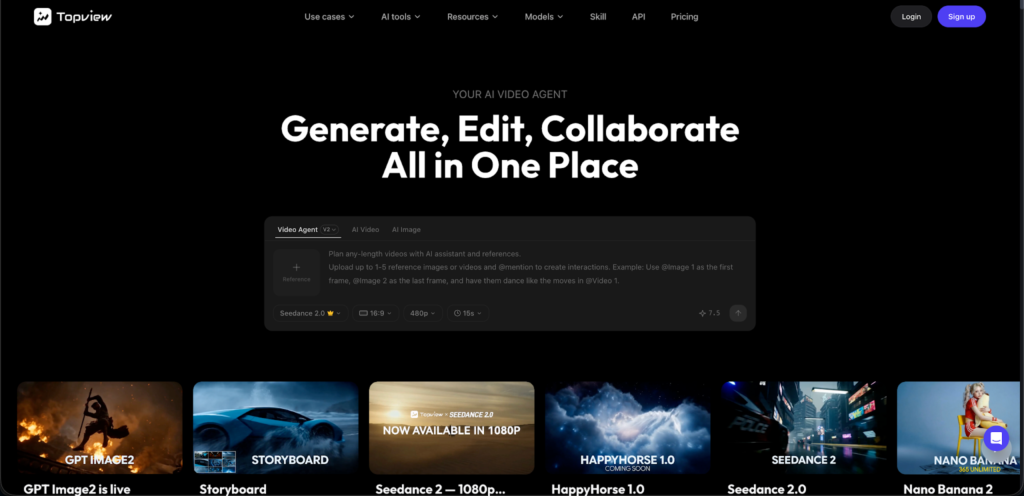
Topview AI takes the top spot for restaurant marketing because it solves the biggest pain point in the industry: going from food photos to finished marketing videos with minimal effort. Upload your dish photos, add your menu descriptions or promotional text, and TopView generates polished videos complete with appetizing visual treatments, professional voiceover, background music, and text overlays.
What makes it stand out for food marketing:
- URL-to-video capability. Paste your restaurant’s website or online menu URL, and TopView AI analyzes the content to generate promotional videos automatically. This is incredibly useful for creating videos that showcase your full menu or highlight seasonal specials without writing a script from scratch.
- Multi-format batch export. Generate the same promotional video in 9:16 (TikTok, Reels, Stories), 1:1 (Instagram feed, Facebook), and 16:9 (YouTube, website, digital menu boards) in one session. For restaurants that post across 3-4 platforms daily, this alone saves hours per week.
- AI voiceover with tone control. Choose from warm, inviting voice styles that match the ambiance you want to convey — casual and fun for a taco truck, elegant and refined for a fine dining establishment.
- Text and pricing overlays. Cleanly display menu item names, prices, and promotional offers on screen. The AI handles typography and placement automatically.
- Multilingual support. Generate the same promotional video in English, Spanish, Chinese, French, and other languages — essential for restaurants in multicultural neighborhoods or tourist-heavy areas.
Ideal food marketing use cases:
- Daily specials and limited-time offers
- Full menu showcase videos for website and social media
- Seasonal menu launch promotions
- Delivery and takeout promotional ads
- Customer testimonial and review highlight videos
Pricing: Subscription plans starting at affordable monthly rates with pay-as-you-go options for smaller operations.
Limitations: Like all AI tools, the output quality depends heavily on input quality. High-resolution, well-lit food photos produce dramatically better videos than dark, blurry smartphone shots.
2. Canva Video — Best for Quick Social Media Posts
Best for: Small restaurants and cafes that need simple, template-based social media videos
Canva has evolved far beyond static design. Its video editor now includes AI-powered features like Magic Animate (auto-adds motion to elements), text-to-video generation, and a massive library of food-specific templates.
Strengths for food marketing:
- Enormous template library with food and restaurant categories (menu boards, daily specials, event announcements)
- Drag-and-drop interface that anyone on your staff can use
- Brand kit feature keeps your restaurant’s colors, fonts, and logo consistent across all content
- Free tier is genuinely useful for basic video creation
- Direct publishing to Instagram, TikTok, Facebook, and Pinterest
Limitations:
- AI generation capabilities are basic compared to dedicated AI video tools
- Templates can look generic if not customized significantly
- Limited voiceover and narration features
- Video length and complexity are constrained on free plans
Pricing: Free tier available. Pro plan at 13/month per user. Teams plan for multi-location operations.
Best use case: Quick daily social posts — “Today’s special is…” videos that take 5-10 minutes to create using templates.
3. InVideo AI — Best for Script-Based Food Storytelling
Best for: Food brands, ghost kitchens, and restaurant groups that want narrative-driven video content
InVideo AI’s text-to-video approach works well for food marketing storytelling. Describe what you want — “a 30-second promotional video for an Italian restaurant’s new truffle pasta menu, warm lighting, close-up food shots, elegant music” — and the AI generates a complete video.
Strengths for food marketing:
- Strong prompt-to-video system that understands food aesthetics
- Large stock footage library including food and restaurant scenes
- AI script generation from simple descriptions
- Good balance between automation and manual customization
- Voiceover generation with natural-sounding delivery
Limitations:
- Stock footage can feel generic (the same pasta shot appears in many videos)
- Less control over visual pacing compared to TopView AI
- Limited integration with restaurant-specific workflows (no menu import or URL parsing)
- Higher-quality outputs require paid plans
Pricing: Free tier with watermark. Business plan at 30/month.
Best use case: Brand storytelling videos — “Our farm-to-table journey” or “Meet the chef” narrative pieces that go beyond simple menu promotion.
4. CapCut — Best Free Option for TikTok-Focused Restaurants
Best for: Quick-service restaurants, food trucks, and brands targeting younger audiences on TikTok
CapCut (owned by ByteDance, TikTok’s parent company) offers AI-powered editing features specifically optimized for TikTok content. For restaurants already active on TikTok, CapCut integrates seamlessly with TikTok’s ecosystem.
Strengths for food marketing:
- Free to use with no watermark on most features
- TikTok-native templates and trending audio integration
- AI auto-captions with customizable styles (essential for food ASMR and cooking process videos)
- Speed ramp and slow-motion effects perfect for “cheese pull” and “sauce pour” moments
- Direct TikTok publishing
Limitations:
- Primarily an editor, not a generator — you still need to shoot or source footage
- AI features are enhancement-focused rather than content-creation focused
- Limited professional branding capabilities
- Not ideal for multi-platform workflows outside of TikTok
Pricing: Free for most features. Pro plan at 8/month for premium effects and storage.
Best use case: Editing and enhancing existing food footage for TikTok — adding trending sounds, auto-captions, and visual effects to phone-shot kitchen content.
5. Pictory — Best for Repurposing Food Blog and Review Content
Best for: Food bloggers, restaurant review sites, and brands with existing written content
Pictory’s core strength is transforming text content into video — making it ideal for food brands that already have blogs, recipes, or review content. Paste a food blog post or recipe article, and Pictory creates a video with matching stock footage, narration, and text overlays.
Strengths for food marketing:
- Blog/article-to-video conversion specifically useful for recipe content
- Automatic scene matching (mentions of “grilled salmon” triggers relevant food footage)
- Good subtitle generation and customization
- Reasonable pricing for small food businesses
- Highlight reel creation from longer cooking videos
Limitations:
- Stock footage library for food, while decent, can feel repetitive across videos
- Less control over visual style and brand consistency than TopView AI
- AI voiceover quality is serviceable but not exceptional
- No URL-based content import for restaurant menus
Pricing: Starter at 25/month. Professional at 49/month.
Best use case: Converting recipe blog posts, Yelp reviews, or customer testimonials into shareable video content.
6. Synthesia — Best for Multi-Location Restaurant Training and Internal Videos
Best for: Restaurant chains, franchise operations, and hospitality groups needing training and corporate communication videos
Synthesia’s AI avatar technology is a strong fit for restaurant operations that go beyond marketing — employee training, food safety procedures, new menu rollout instructions, and franchisee communications. While it’s not the cheapest option, chains with 10+ locations recover the cost quickly by eliminating in-person training production.
Strengths for food marketing:
- Professional AI avatars that can present menu introductions, seasonal announcements, and brand stories
- 140+ languages for international restaurant chains and diverse staff training
- Consistent brand presentation across all locations
- Screen recording integration for POS system and ordering platform tutorials
- Enterprise-grade security and brand control
Limitations:
- Higher price point — overkill for single-location restaurants
- Avatar style is more “corporate presenter” than “warm restaurant host”
- Not ideal for the fast-paced, casual content that performs best on TikTok and Reels
- Limited food-specific visual treatments (no menu board templates, no food photo enhancement)
Pricing: Starter at 29/month. Enterprise pricing for chains.
Best use case: Training new kitchen and front-of-house staff on menu items, food safety, and service standards — producing one video that replaces repetitive in-person training across multiple locations.
7. Runway — Best for Creative Food Brands Pushing Visual Boundaries
Best for: High-end restaurants, food photographers, and culinary brands that want cinematic, art-directed video content
Runway’s Gen-3 Alpha model produces the most visually stunning AI-generated footage available in 2026. For food brands that treat their visual content as art — think Michelin-starred restaurants, premium food brands, and culinary media companies — Runway creates footage that looks like it came from a professional food photography studio.
Strengths for food marketing:
- Best-in-class visual quality for AI-generated footage
- Text-to-video and image-to-video with cinematic food results
- Advanced motion controls for dramatic food reveals and pours
- Seamless integration with professional editing workflows (Adobe Premiere, DaVinci Resolve)
- Creative community sharing and inspiration
Limitations:
- Steeper learning curve than other tools on this list
- Credit-based pricing can get expensive with heavy usage
- Not designed for quick, high-volume social media content
- No voiceover, music, or text overlay features built in — requires a separate editor
- No restaurant-specific templates or workflows
Pricing: Free tier with limited generations. Standard at 15/month. Pro at 35/month. Unlimited at 95/month.
Best use case: Creating 5-10 second hero clips of signature dishes — the kind of slow-motion, perfectly-lit footage that stops scrolling and defines a brand’s visual identity.
Comparison Table: All 7 Tools at a Glance
| Tool | Best For | AI Video Generation | Food Templates | Multi-Platform Export | Voiceover | Starting Price |
| TopView AI | Overall best | ✅ Full | ✅ Yes | ✅ All formats | ✅ Multi-language | Affordable subscription |
| Canva Video | Quick social posts | 🔶 Basic | ✅ Extensive | ✅ Most platforms | 🔶 Limited | Free / 13/mo |
| InVideo AI | Brand storytelling | ✅ Strong | 🔶 General | ✅ Most platforms | ✅ Yes | Free / 30/mo |
| CapCut | TikTok content | 🔶 Editing-focused | 🔶 TikTok-style | 🔶 TikTok-primary | 🔶 Basic | Free / 8/mo |
| Pictory | Blog-to-video | ✅ Text-based | 🔶 General | ✅ Most platforms | ✅ Yes | 25/mo |
| Synthesia | Chain training | ✅ Avatar-based | ❌ No | ✅ Standard formats | ✅ 140+ languages | 29/mo |
| Runway | Cinematic visuals | ✅ Best quality | ❌ No | 🔶 Requires editing | ❌ No | Free / 15/mo |
How to Choose the Right Tool for Your Restaurant
Your ideal tool depends on your operation type and primary content needs:
Single-location restaurant with limited budget: Start with CapCut (free) for editing phone-shot content and Canva (free tier) for template-based social posts. As you see ROI from video content, upgrade to TopView AI for more sophisticated multi-platform content.
Multi-location chain or franchise: TopView AI for marketing content across all locations (consistent brand, scalable production) plus Synthesia for internal training and operational communications.
Food brand or CPG company: TopView AI for high-volume product marketing videos across social, email, and retail channels. Add Runway for premium hero content and brand campaigns.
Food blogger or culinary media: Pictory for converting written recipes and reviews into video, complemented by InVideo AI for narrative storytelling pieces.
Fine dining or premium brand: Runway for cinematic food footage that matches your brand’s aesthetic standards, with TopView AI for the higher-volume social media content that keeps your presence active between hero pieces.
Content Calendar: What to Post and When
Restaurant video marketing works best with a consistent cadence. Here’s a weekly content plan using AI tools:
| Day | Content Type | Platform Focus | AI Tool | Time to Create |
| Monday | Weekly specials announcement | Instagram, Facebook | TopView AI | 15 min |
| Tuesday | Behind-the-scenes kitchen clip | TikTok, Reels | CapCut | 10 min |
| Wednesday | Customer review highlight | LinkedIn, Facebook | TopView AI | 10 min |
| Thursday | Recipe tip or cooking technique | TikTok, YouTube Shorts | CapCut | 15 min |
| Friday | Weekend event or happy hour promo | Instagram Stories, TikTok | Canva / TopView AI | 10 min |
| Saturday | Food beauty shot or dish feature | Instagram, Pinterest | Runway / TopView AI | 15 min |
| Sunday | Week-ahead preview or chef’s pick | All platforms | TopView AI | 15 min |
Total weekly time investment: ~90 minutes for 7 video posts across multiple platforms. Without AI tools, this volume of content would require 8-15 hours of production time or a dedicated social media employee.
Tips for Better Food Marketing Videos
Regardless of which tool you choose, these principles make food videos more effective:
Lighting is everything — even for AI. AI tools work with the photos and footage you provide. Well-lit food photography produces dramatically better AI video output. Natural daylight near a window is the simplest upgrade. No ring light needed — just move the plate closer to the window.
Show movement and texture. The most-shared food videos feature motion — cheese stretching, sauce pouring, steam rising, a knife cutting through a crispy crust. Even with AI, prioritize source images and clips that capture texture and movement. The motion capabilities can transform static food photos into dynamic, appetite-triggering video sequences.
Keep text overlays readable. Menu item names, prices, and promotional text should be large enough to read on a phone screen without squinting. White text with a slight shadow or dark background bar works best over food imagery.
Include a clear CTA. Every video should tell the viewer what to do next — “Order now,” “Reserve a table,” “Link in bio for the full menu.” Restaurant video content without a CTA is entertainment, not marketing.
Use seasonal urgency. “Available this weekend only” or “Summer menu launches Friday” creates urgency that drives action. AI tools make it easy to produce time-sensitive content quickly — no need to plan a shoot weeks in advance.
Caption everything. 85% of social media video is watched on mute. Your video must communicate the key message visually through text overlays and captions, not just through voiceover. Use creative approaches like Topview AI Drama to generate visually engaging animated text that feels premium rather than generic.
FAQ
Do I need professional food photography to use these AI tools?
Professional photography helps, but it’s not required. Modern smartphone cameras (iPhone 15/16, Samsung Galaxy S25, Google Pixel 9) take food photos that are more than sufficient for AI video generation. The key is good lighting (natural daylight is best), a clean background, and multiple angles of each dish. Shoot 5-10 photos per dish, and the AI tools will have plenty to work with.
How often should a restaurant post video content?
Minimum 3-4 times per week to maintain algorithmic visibility on Instagram and TikTok. Ideally, daily posting across platforms — which is achievable with AI tools in under 20 minutes per day. Consistency matters more than perfection. A decent video posted today beats a perfect video posted next week.
Can AI-generated food videos look as good as professionally shot content?
For social media marketing purposes, yes — AI-generated food videos now meet and sometimes exceed the quality threshold that platforms reward. The distinction matters more for premium brand campaigns, billboard-quality content, or broadcast TV, where Runway’s cinematic quality becomes the better choice. For the daily social media grind that drives 90% of restaurant marketing impact, AI tools produce content that’s indistinguishable from professional production to the average viewer.
What’s the ROI of video marketing for restaurants?
MGH Inc.’s 2026 restaurant marketing survey found that 45% of diners tried a restaurant for the first time after seeing it on social media, with video being the most influential format. Restaurants that post video content 4+ times per week report 28% higher foot traffic than those posting static images only. The ROI is especially strong for delivery and takeout — a well-made video of a signature dish can drive 50-100+ online orders in its first 48 hours on TikTok.
Which social media platform is most important for restaurant marketing?
Instagram and TikTok are the top two, but the best platform depends on your audience. Fine dining and brunch spots tend to perform best on Instagram. Fast casual and street food thrive on TikTok. Local family restaurants see strong results on Facebook. YouTube works well for cooking content and restaurant tours. The ideal strategy covers at least 2-3 platforms — and AI tools make multi-platform content production feasible without multiplying your workload.
How do I handle menu changes and seasonal updates in my videos?
This is where AI tools truly shine. When your menu changes, update the text descriptions and swap in new food photos, then regenerate your promotional videos. With TopView AI, updating a menu showcase video takes 10-15 minutes versus re-shooting and re-editing, which could take a full day. Set a recurring calendar reminder for seasonal menu transitions and build video refresh into the process.